A5 Custom Login Page
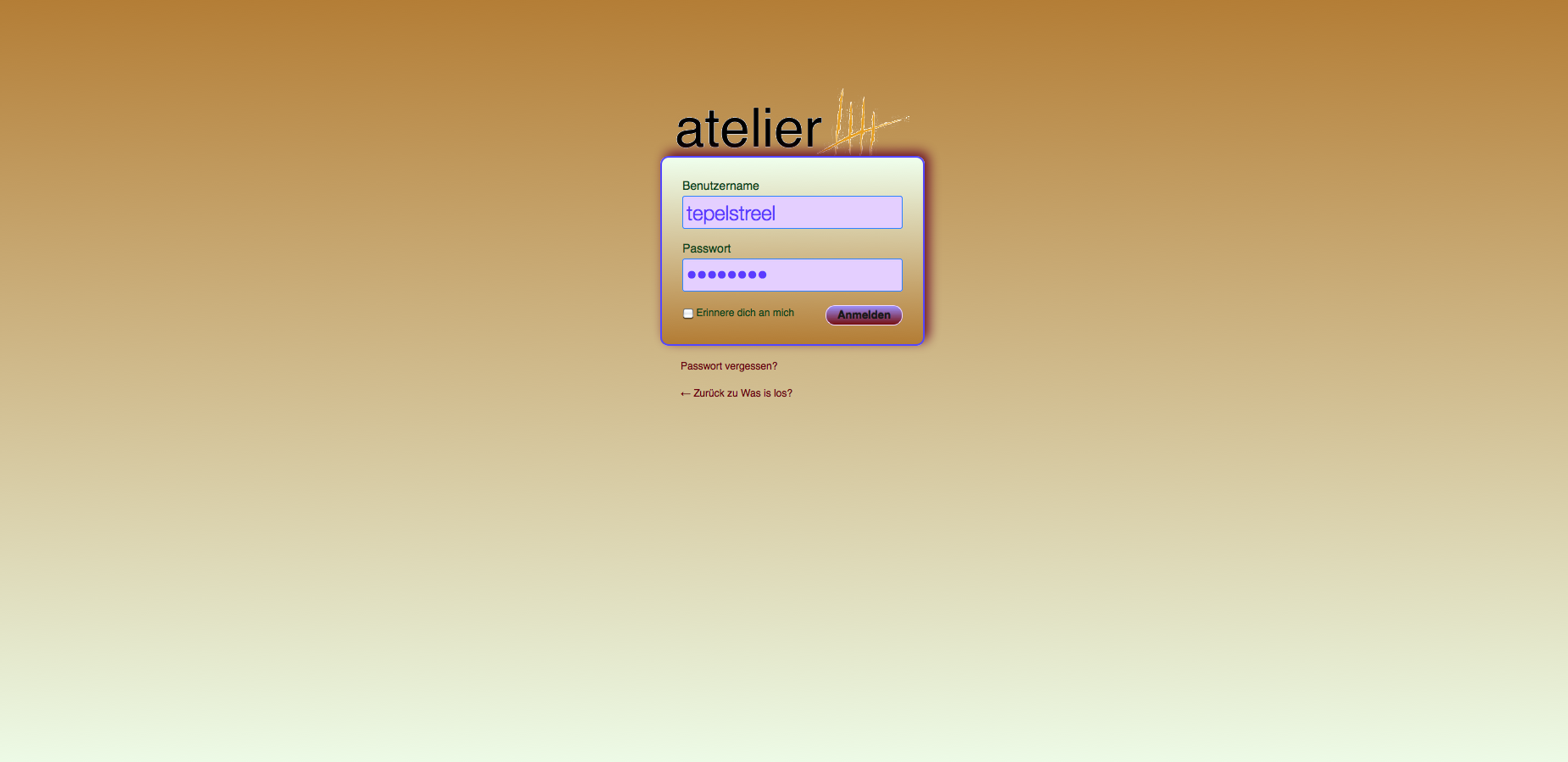
Brand your WP-Installation. Sometimes it might be useful not to show the WordPress Logo at the log-in screen. If you are working for a customer or if you are setting up a community for some team, band etc. they probably appreciate their own logo, when logging in.
Furthermore, you can customize every single bit of the log-in screen of your WordPress installation.
The Plugin
When setting up a community web-page, we noticed that there are many possibilities to style the log-in screen of WordPress but none of the plugins that we found was really compatible to Version 3.3. The result of that is our A5 Custom Login Page, where the A5 comes from the company Atelier 5, which is behind „Was ist los?“. We had to give our plugin that name because there are many others called „Custom Login something“ and unfortunately, there is one called „Custom Login Page“ (exactly the name, that we use in the WordPress repository), which caused a bit of trouble in the admin screen. Now all this should be history and our beautiful and foolproof „A5 Custom Login Page“ is available for download.
Tested up to WP 4.3.
Current Version
The current version is 2.6 and it’s still supposed to have some enhancements.
Changelog
2.6 Serbo-Croatian translation added thanks to Andrijana Nikolic. WP 4.3 ready. New framework
2.5.4 small bugfix
2.5.3 small bugfix
2.5.2 broken registration in some environments fixed
2.5.1 some bugs fixed. Individual intances of the widget can now be redirected
2.5 you can now add a video to the login screen
2.4.2 small bug in CSS fixed
2.4.1 small bug in CSS fixed
2.4 Uploader added. More accurate redirection. Possibility to hide backend from users. Inner shadow in foolproof mood. You can now import the plugin’s stylesheet and start fine tuning
2.3 Framework updated
2.2.2 Some more cleaning and fixing
2.2.1 Fixed a huge bug due to missing function in some environments
2.2 Preview added (doesn’t work in network installations). Using own CSS doesn’t override other settings anymore. Login redirect added. Login Widget added. Possibility to add custom html snippets added.
2.1.1 Bug with double logo eliminated
2.1 Colorpicker works again. DSS compressable.
2.0 Complete overhaul of the whole plugin with more functionalty
1.9.2 More options added plus a debugging with the virtual stylesheet
1.9.1 More options for the logo
1.9 More options for the logo plus possibility to change the size of the ‚lost pasword‘ and ‚registration‘ links
1.8.1 Updated Slovak translation
1.8 More options for the logo plus possibility to import / export the settings added
1.7.3 Slovak translation added thanks to Branco Radenovich
1.7.2 Small bugfix for multisite
1.7.1 Small bugfix
1.7 Fixed a bug with login form transparency and added multisite functionality
1.6 Some more possibilities to style the background image and to let the input form and the message containers disappear
1.5.2 Missing stylesheet fixed
1.5.1 Better Spanish translation and no flashing WP-logo
1.5 Login container and login form can now be resized and positioned; size of the logo can be changed
1.4.1 Spanish translation added thanks to Jorge Ballesteros
1.4 You can now enter a custom error message
1.3 Small bugfix that caused issues in WP 3.4
1.2 A bit more foolproof
1.1 Some bug fixes, you can style login container now
1.0 Initial release
Installation
To install the A5 Custom Login Page simply download it here, unzip the file and upload the folder named „custom-login-page“ into the /wp-content/plugins folder of your blog.
Once you have done that, simply activate the „A5 Custom Login Page“ in your plugin panel and you are ready to rock.
Reviews
WP Explorer
ManageWP
ByPeople
VintayTime
Tutorials
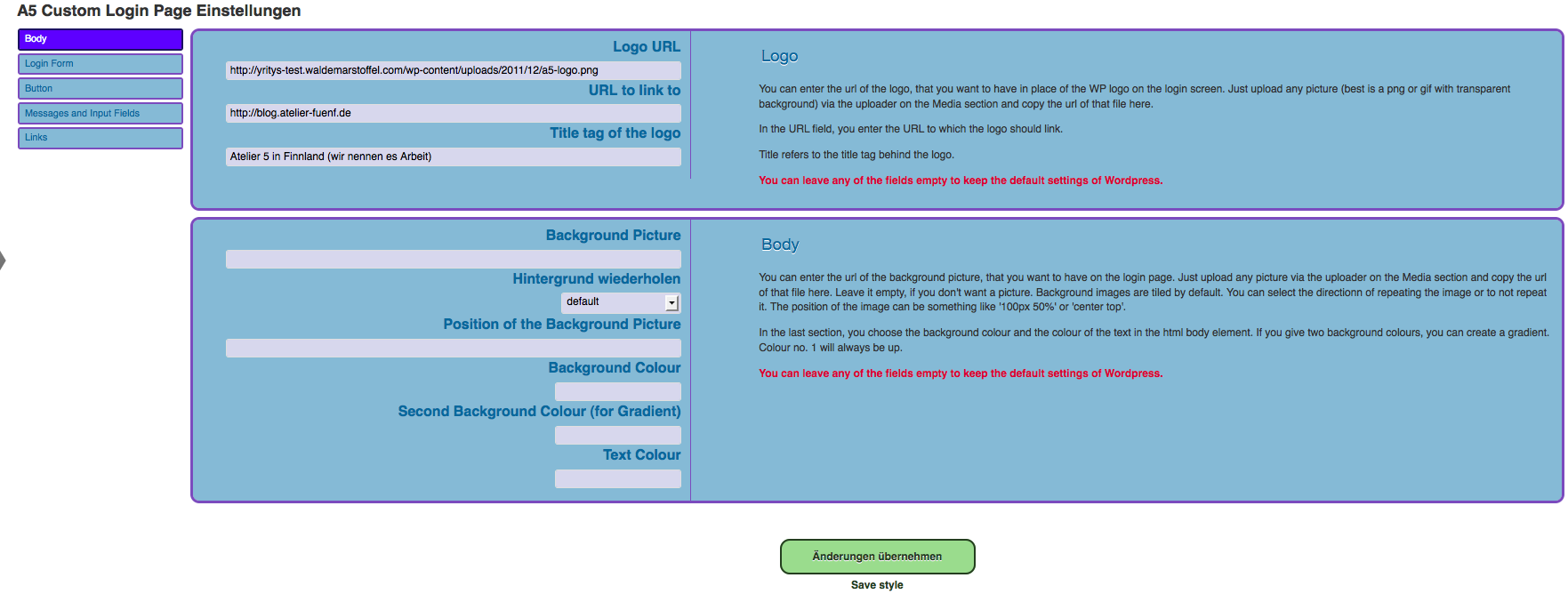
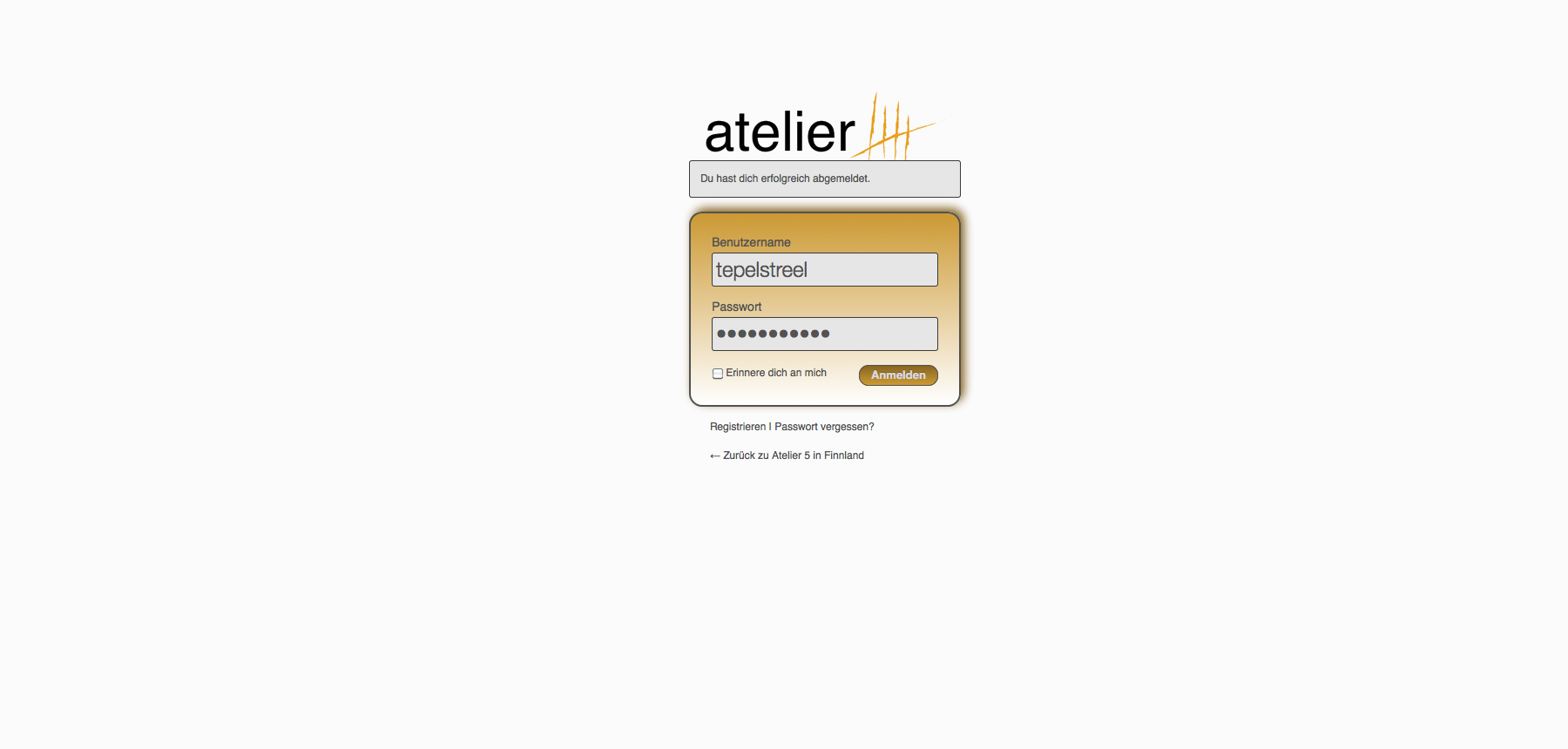
Screenshots

Donations
Donation
If you use the plugin and like it, we appreciate a donation. If you find the plugin useful and like it very much, we appreciate your feedback even more.

Excelent plugin!
Nice article
can’t wait to try your updated version after the bug has been fixed.
Hi, I think you plug in has stopped working (it’s worked perfectly for the last 2 years :)
The logo / styling are showing up anymore – Is there a known issue?
Thanks in advance
Rich
Hi Holger,
glad to hear it works now. And thanks for the compliments. :)
Best,
Stefan
Thanks for the quick reply.
I made a new installation of the plugin, imported my txt-file, and everything works fine.
btw. absolut nice plugin. Many thanks for your work.
Hello Holger,
I don’t know exactly why the CSS is not attached in some installations and especially not, why it changes for some people with the upgrade to WP 4.5. Without seeing your installation, I can only guess what is happening. Depending on your permalink structure, you get a weird url for the virtual style sheet. That might prevent it from being attached.
1. Make sure, you use pretty permalinks.
You have that? It doesn’t work?
2. Go to the advanced settings of the custom login page and check the box in the debug section that says: Display CSS inline.
Now it should work.
The PlugIn doesn’t work since WP 4.5
All adjustments are displayed in the admin menu, but the login page did not show the custom LogIn page.
Did you have a solution or hint for me?
Hi Dianne,
there was a mistake in the patch 2.6.2 in deed. But version 2.6.3 is working again. Just download the new plugin here and upload it via FTP to your plugins folder.
Sorry for the inconvenience.
Stefan
My site just crashed after updating the A5 custom login program. The error message that I got is the following. I had just turned the website on yesterday and now it is gone. Please help.
Fatal error: Class ‚CLP_ShortcodeAdmin‘ not found in /home/valleys7/public_html/wp-content/plugins/custom-login-page/custom-login-page.php on line 165
and now all that I get is „Error establishing a database connection“
I would appreciate any help as soon as possible.
Dianne
Thanks for the comment, brenda.
But this is just a custom login plugin. The Prifile Builder seems to be a very powerful plugin that actually does something completely different from mine. Yes, it also affects the looks of the login screen and it has a login widget. But that’s all what the plugins have in common.
The A5 Custom Login Page is not a profile plugin. That’s why there was no „edit profile“ page included.
Best,
Stefan
This is a good alternative to Profile Builder. But why was the „edit profile“ page not included?
Hello,
in the sidebar menu there should be ‚A5 Custom Login‘ appearing just above the Plugins. If it doesn’t show, then there is most probably some other plugin taking that same space. You could try deactivating plugin per plugin to see which one is interfering with the custom login page.
Best,
Stefan
I have installed and activated A5 Custom Login Page Plugin to my site. According to installation guide it should be in Setting tab of wordpress site. But i am not able to see it anywhere in admin panel. I can not find it anywhere. What should i do now?? pl reply.
I’m sorry Djo, but I don’t understand Russian. And the translation program doesn’t give any hint of what you actually mean…
Привет, вот такая ошибка при обновлении „При обновлении A5 Custom Login Page произошла ошибка: Не удалось создать директорию.“
Hi Stephen,
the behaviour is just in the nature of the hook, WordPress provides. The plugin’s style sheet is loaded at the end of the page which causes it to apply last. You might try to display the styles inline to avoid them being loaded with lowest priority.
Regards,
Stefan
Hi,
We are just getting familiar with A5 and find potential use on several projects. We replaced the wordpress logo with one of our own and made minor changes to the label colors. I have attached a link to our login and registration pages for your inspection. We have noticed a delay in loading our modifications and would like your direction in fixing this issue. You reply is appreciated.
Stephen B
http://www.legalrecruiter.com/wp-login.php?action=login
http://www.legalrecruiter.com/wp-login.php?action=register
Hello Dustin,
you catch me in the middle of the busiest period of the year. Therefore, sorry for a very short and late answer. The size of the background image should be set to ‚cover‘ in the plugins settings. There is also a text in the body section which explanes that step. And for the slow loading time, I can only say: Make it smaller. The resolution of the background image doesn’t have to be more than 150 dpi. And about size… I wouldn’t know quickly. Perhaps 2560 × 1600 would be one of the biggest and would naturally work with all others.
Greets,
Stefan
Hello Stefan,
I was wondering if you could help answer a question for me about the login page. I’m using a background image and it has a very slow load time. Is there a preferred size for this page that I can use that I should upload. Also, I have it set to not repeat the image, but I would also like to know that the image fills the entire screen no matter what size monitor someone is using. Does it do this automatically?
Here is the link
http://www.challengenie.com/wp-login.php?redirect_to=http%3A%2F%2Fwww.challengenie.com%2Fwp-admin%2Fthemes.php%3Fpage%3Dclp-settings%26loggedout%3Dtrue&reauth=1#038;tab=body_tab
Thanks for your help,
Dustin
Hello Wayne,
I didn’t have time at all for the past year or so, to do anything with my plugins. I will have a look at it within the next couple of days and release a new version anyway, since I have some streamlining to do with the code. I hope, your problem will be gone after that. I cannot reproduce it for now and don’t know what it is.
Regards,
Stefan
Hi,
I installed your plugin a while ago, Everything was working fine, Until i updated to the latest version of wordpress, I can’t seem to add my logo, I have inserted the full URL in the box, all i see is the default wordpress one, I have added a background and that works fine. Any suggestions would be grateful,
Thanks,
Hey there,
unfortunately I don’t have an idea what exactly is happening. When I have a look at your login page, everything seems to be good and well for the plugin. But however, the css file is not showing and therefore you don’t have your custom settings displayed.
I will have to check more things out.
Hey there,
I hear a lot of great comments about your plugin and I saw the
result on a friends blog, he exported the settings from his login page and I copied the file and imported the text in the txt.file into my installed version of the plugin, refreshed the page and indeed all the settings were present, but whatever I do, I can’t seem to get rid of the old original wp login page. Can you tell me how to fix this please ! I can’t get your plugin to override the normal wp login page – so for now I have no results plugin installed and activated or not (wp version 3.7.1) Thanks Robert
Hello Jindra,
the form doesn’t get translated by the plugin. It’s your WP-installation. If you switch to the English version of WordPress, the login form will be English.
Regards,
Stefan
Hello,
I am trying to fix my own wp website, Got your plugin A5 custom login form. Only the form is in Dutch language, but it has to stay in English.
How can i fix this?
gebruikersnaam has to be username
wachtwoord has to be password
etc.
Could you please help me?
Jindra
Hello Fay,
going to the input form at the admin panel of the plugin and setting the form’s transparency to 0 does the job.
Regards, Stefan
Stefan: I’m using your plugin on another site (after it worked so well for my first one). But for some reason, I can’t figure out how to make the default white WP background of the login form disappear. Where do I do that?
http://www.h-dnexusportal.com/hdportal
thanks
Hi mike,
I just released a new version of the plugin and you can change the font size of the links now.
Regards,
Stefan
Thanks a lot, Fay! I will enjoy the beer(s).
Cheers to you as well. I hope my small donation is enough to let you enjoy a cold beer or 3.
Hello Fay,
thanks a lot for your comment. Things are so obvious to me (I’ve programmed it) that I don’t seem to think about good instructions. Whereever you should give numbers, the plugin doesn’t want the ‚px‘ after them. Not many browsers can deal with all HTML 5 input fields yet. So, the strict number input doesn’t seem to work always automatically. That’s clearly a mistake in programming the whole thing. Your problems made me aware of that; changement should come. Cheers. And one other thing is the padding of 114px on top of the login container. If you put a padding of 0px in the input field for that container, you’ll see that it moves to the top of the screen.
Well, it’s taken me longer than it should have (due to my own limitations I’m sure) but I have to say I’m really pleased with this plug in. I thought I might share a few things I learned along the way:
• Those pesky default wordpress shadows just wouldn’t disappear. I learned that if you use „0“ in each of the boxes and not „0px“ that they go away. Seemed that way anyway
• I’m using this on a multi-site with login redirects. Works great.
• The page seems to have a 114px space at the top by default. That was a little troublesome trying to line up the logo with the background image. (so I just made the background image 114px taller).
There were other little tweaks, but they may have been more obvious to everyone else. (as perhaps these were as well)
Hi and thanks for the compliment,
could you explain a bit more, what the actual problem is? I use Better WP Security and my plugin in combination myself and have never encountered any interferences.
Hey there,
Great addon though I was wondering if it was possible to improve compatibility with BetterWP Security.
There’s something with the two addons conflicting and the custom login page refusing to show.
Because I never thought of building that feature into the plugin. That’s why. I might consider doing so in a future version, though. :)
Why can’t we change the link text size? The Register/Lost Password links are so small.
You are welcome. Just update from your dashboard and you are ready to rock! :)
Dear Stefan,
I can’t wait to try your updated version, after you fixed the bug.
Thank you!
Found the bug and eliminated it. Thanks for making me alert.
Hi! The plugin is multisite ready. You just have to activate networkwide and style your login page in the network settings to have the login screen the same for all sites in the network. Obviously, there is a problem when running in a network without activating the plugin for the whole network. It is then available for every blog, but (see comment before) obviously you cannot reach the options page. I will have to fix that.
Hello,
i tested it in a multisite environment and it worked for me. Otherwise, I wouldn’t release it as multisite ready. Obviously, I overlooked something while testing. Thanks a lot for making me alert. I will have to investigate and will leave a note here, when the problem is fixed. I will come back to you. The fact that after activation for multisite, the options page is only available for the network manager is desired behaviour. However, it should be available for each and every blog seperately, if not activated for multisite… I will come back to you asap.
Hi again… I just read that Version 1.7.1 works for Multisite. However, when I install and activate it for the network, the Admin/Settings are only visible in the Network Admin’s dashboard.
When I deactivate it from the network, the A5 plugin is now visible in the network’s multiple sites‘ plugin panel for individual activation. When I activate the plugin for one of the sites, and click on settings, I get this error, „You do not have sufficient permissions to access this page.“ even though I’m logged in the site as Administrator (I’m the Network Super User). Did I miss a step? Thanks.
Hi! Is your plugin ready for WP Multisite yet?
It sounds like exactly what I need for my various community websites running off WP Multisite.
Hello Robert,
I’m glad that you like the plugin. I just test it out with buddypress on a multisite. In certain constallations, the old login screen of WP won’t even show up. But that’s not what you were mentioning (just a note aside). What happened, is that I changed the hook to print my style sheet from the wordpress hook ‚login_head‘ to the ‚login_enqueue_scripts‘ hook, which seems to be fired at the end of the page. So, you’ll see the original login screen before the plugins css is loaded. In the newest version I changed it back. It was not the meaning to have this flashing.
I just make the plugin ready for multisite use and then you will see an update appear.
Hello Stephan,
Thanks for your plugin…I use it in all my sites…question…this has never happened before (I don’t think it should matter, but this is my first BuddyPress install) it seems the old WordPress login scheme is cached momentarily before mine loads up. Should I delete the login.php and reupload?
That’s always good to read. I’m glad you like it and thanks very much for the beer! :)
I had so much fun using your „creation“ on my wordpress membership website. I hated the static WordPress logo but didn’t know how to fix it….I have no left brain skills for writing or using code. I am a plugin kind of guy. Your very clear and easy instructions allowed me to transform a very boring login page to a bright and interesting page. I can’t thank you enough….and yes I am sending you a contribution….go out and have a beer (or cup of coffee) on me….thanks again. I recommend your A5 Custom Login page plugin to anyone…Coach Hal
Hei Danny,
no prob, I’m always excited if having a task in plugin developement and not just my ideas, how it could be and work. For my needs it was already perfect but there’s a lot more potential of course :o)
And about the change of size of the container… Didn’t I do that already? Obviously not. I will see. Still a lot of work and WP plugins come only after hours.
Best,
Stefan
hey stefan,
thanks for the quick reply … when we are launching our 1st products / services line we will certainly send you a link with a gift to show our appreciation for helping us out
now for us … the only thing … that the a5 custom login plugin should have updated is … the max measurements of usable custom logo, cause ours is 260px by 260px (and as you know the plugin is restrained to wordpress logo measurements now which are 63px by 273px)
and our logo should also appear just above the login container …
and since the plugin already allows to change the placement of the login container, we should have no problems at all .. to get everything in the right spot
and 2nd and last question (although this is not a necessity, it would only have a much better visual look because of the measurements of our logo in comparison to the login container) but if in your update you also could include an option to change the width and height of the login container … then it would be just perfect ….
thanks again for your willingness to help us out by adapting your development priorities
danny
Hi Danny,
thanks for all the compliments. It’s always good to hear that people actually appreciate my work. I am busy with the development of the plugin and unfortunately not in schedule since I am only doing this in my sparetime and had too many ‚real‘ jobs lately.
So, what we can do, is that I send you development versions of the plugin and you comment on them by email. That way, we would be able to fix your problem (and bring the plugin further) the most effective way. All the multisite stuff can wait.
hi, stefan, I installed your plugin, the a5 custom login page, on one of testsites and I was amazed … unfortunately we will not be able to use it in our actual sites, merely because of one reason, being the impossiblity to use larger custom logo’s
since it I red somewhere you would add some
more features to the plugin in august 2012 that would solve this issue and that allow to use larger custom logos too .. as ours are 260px by 260px and since we are august 2012, we would be able to use your plugin … cause unfortunately we are on the end of our design process for our actual websites .. and the things like the login page are merely last details we are now fixing … just to know whether we can stick with your plug in or we need to test out others .. we would be very appreciative .. if you could be so kind to tell us .. when exactly would this update be online and ready to go, which allows larger logo’s be online …
again sorry to make it seem like we want to hurry .. which is not the case .. we are only on a tight budget and strict deadline ourselves .. so we need to know whether your plugin will provide this and when .. so we can decide whether we can use your plugin, which we like for all the other straight forward features, but unfortunately .. now our logo is 2/3 behind the login container and that is not acceptable for our actual sites …
hope you will make it in time for us …
and thanks for the development of an otherwise great plugin
danny
Hei Jorge,
thanks for all the effort. I have dropped you a mail earlier. I’m glad to include your translation.
Greetings,
Stefan
Hi Stefan,
I have guessed a few things. The plugin is not working only when i activate the buddypress plugin. If buddypress is disabled the plugin works prefectly with an static page as home page.
I have also translated your plugin to spanish. If you are interested in the translation file, please contact me and i’ll send to you.
If you can manage to guess what it is happening please let me know.
Thanks in advance,
Jorge
Hi Stefan,
Thanks for your fast answer. I will give a look to your code trying to find the problem.
By the way i’am using the last version of WP, 3.4.1, and the last version of the plugin, 1.4.
I will keep you posted!
Hello Jorge,
I wanted to anyway make a couple of changes and also include choices for multisite use. But I have to say, I have never encountered the problem, you mention. I will investigate and let you know.
Regards,
Stefan
Hi,
Excelent plugin! I have no problem when the home page as a blog, but I have noticed that the plugin stops working when you set the home page to a static page.
I have tried to solve this issue, modifying the php, but i had no success. Have you got any intention on fixing this.
Thanks in advance,
Jorge
Hi, I have just installed your a5 custom login plugin. it all looks really good I’m a newbie at word press. i cannot seem to get it to replace the word press logo or colours on the login screen. i have tried adding the links to my logo. and save but it does seem to change it. any help most appreciated.
Its probably simple but I’m missing something.
Thanks, Richard